Fibre splicing service · across Germany
Fibre splicing for businesses
UltraTech Germany splices optical fibre for businesses across Germany: we join fibres by fusion splicing (the fibre ends are fused together with an electric arc), lay them into your distribution frame and repair damaged fibre cables, using our own splicing and test equipment. The splicing price depends on fibre type and fibre count; repairs are billed by time. We state the amount in the quote. Every fibre gets a report.
Technically reviewed by M. Ahmed – 13 years of professional experience
At a glance
- Method
- Fusion splicing
- Fibre
- OS2, OM3, OM4, OM5
- Cable
- Loose tube, mini loose tube, single fibre
- Consultation
- Free initial consultation
- Price
- By fibre type and fibre count, amount in the quote
- Report
- Splice loss per fibre
- Language
- English or German
- Service area
- Anywhere in Germany
Our own equipment
Fusion splicerSplicing by electric arc
OTDRFault location, every splice on its own
Power meter and light sourceLoss measurement of the link
Inspection microscopeChecking connector end faces
In plain words
What do the technical terms mean?
You don’t need to know any of these words to send an enquiry. You will meet them in the quote and the report, though:
Splicing, fusion splice
Splicing means joining two optical fibres permanently. In a fusion splice, a machine aligns the fibre ends and fuses them with a short electric arc, so they become one continuous fibre.
Single-mode (OS2) and multimode (OM3–OM5)
Single-mode fibre has a very thin core and carries light over long distances, for example between buildings. Multimode fibre has a thicker core and is mostly used inside a building or on a site. Which one you have is usually printed on the cable sheath.
Pigtail
A short length of fibre with a connector already fitted at one end. The other end is spliced to a fibre of the cable. The result is a socket you can plug a patch cord into.
Splice cassette, splice box
The cassette is a flat tray inside the distribution frame where the splices sit protected and the fibres are laid in wide loops. The splice box is the small enclosure that holds one or more cassettes, usually on a wall or in a rack.
Gf-AP
German for fibre termination point: the place in the building where the network operator’s line ends, usually in the basement or service entrance room. What lies beyond it belongs to the building owner.
OTDR
An instrument that sends light into the fibre and reads from the returning light how far away a splice or fault is. It shows the length of the fibre, not the path of the cable through the ground.
Loss (attenuation)
The share of light that gets lost on its way through the fibre, given in decibels (dB). Every splice, every connector and every bend that is too tight costs a little. If the total loss is too high, too little light arrives at the far end.
Closure
A sealed enclosure that protects splices outdoors or in a manhole against moisture and strain. After a repair, the new splices usually sit in a closure.
Use cases
What do businesses hire a splicing service for?
Fibre is spliced wherever it ends or continues.
A digger has caught the cable to the warehouse. The new distribution frame is waiting for its fibres. The electrician has pulled the cable but there is no splicer in the van. Three typical situations, one shared gap: someone has to join optical fibres permanently. That is called splicing. It takes a specialist machine and practice, which is why many companies and contractors don’t do it themselves. We take it on – at the building distributor, in the server room, in splice boxes and wall-mounted enclosures, or after a cable break. We work by appointment, in English or German, label every fibre and hand over reports you can file with your acceptance or as-built documentation.
Connecting buildings and sites
A cable runs between a hall and an office building, and loose fibres hang out at both ends. We splice them into distribution frames or splice boxes and label every fibre, so later anyone can see what leads where.
Server rooms and data centres
The new distribution frame is waiting for its fibres. We lay pigtails (short fibres with a connector fitted) into splice cassettes and set up the fibre patch panel – for a new rack as much as for an extension. More: Server rooms and data centres
Fibre in commercial buildings
The network operator has built up to the Gf-AP, but inside the building it stops. From there the owner is responsible: we take the fibres from the Gf-AP to floor distributors and tenant units. More: Fibre in commercial buildings
Industrial sites and halls
Halls are full of machines and drives that generate electrical noise. Fibre does not pick it up and covers long distances. We splice the links at the distribution frames.
Cable breaks and faults
A digger has caught the cable to the warehouse and the connection is gone. We locate the spot with the OTDR, set the repair splices and test the link again. Appointments by urgency. More: Cable breaks and faults
For contractors and IT service providers
You have pulled the cable but have no splicer in the van. We splice and test as a subcontractor and supply reports for your acceptance. More: For contractors and IT service providers
A team of independent specialists, one contact from enquiry to handover.
- Gf-AP
- Where the building owner’s cabling begins
- OS2 · OM3–OM5
- Single-mode and multimode fibre
- Both directions
- OTDR per splice, averaged
On the job
Pictures from the splicer
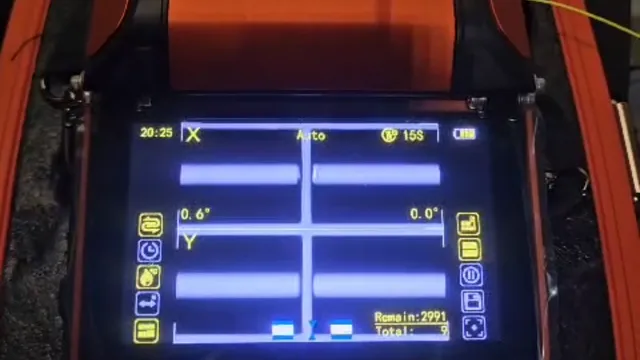
Fibres aligned in the splicer 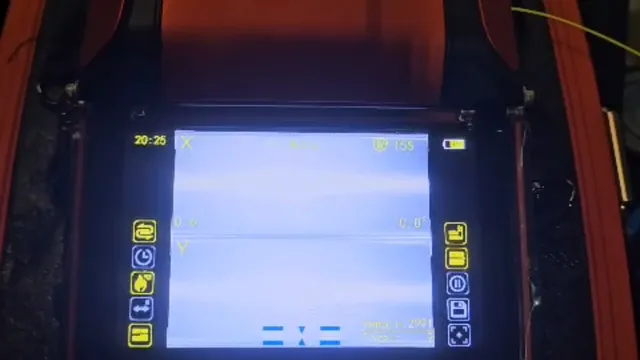
Display during the arc 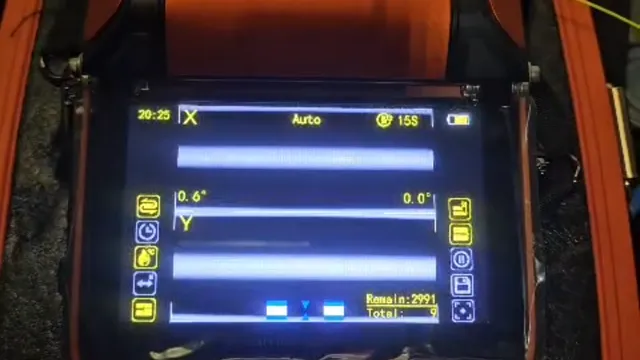
Fibre image before the splice
Services
What we take on
- Fusion splicing of single-mode (OS2) and multimode fibre (OM3/OM4/OM5)
- Splicing of loose-tube cables (several fibres lying loose in a tube), mini loose-tube and single-fibre cables
- Pigtails (short fibres with a connector already fitted) laid into splice cassettes, with splice protection and the fibre routed in wide loops
- Splice boxes, fibre distribution frames, wall-mounted enclosures and fibre patch panels installed
- Existing distribution frames extended with further fibres
- Repair after a cable break: fault location by OTDR, repair splices with a closure or replacement of a section, booked by urgency
- Buried cable exposed at the fault (smaller civil works; larger ones by a partner firm or your civil contractor)
- Fibres and ports labelled, so the next technician does not have to guess
- Report with the splice loss of every fibre (how much light is lost at the splice), digital
- Re-test after the repair against the loss budget (the most loss the link may have), with a report
What you get at handover
- Splice report with the splice loss of every fibre, digital
- Labelled fibres and ports in the distribution frame
- Invoice only after handover
Set-up
Where does the network operator’s line end?
With a fibre connection, companies often ask: who may splice what? The boundary is the Gf-AP, the fibre termination point in the building:
- 1Network operator
Operator’s network
The line in the street, up to the building
- 2Network operator
Gf-AP
Fibre termination point, usually in the basement or service entrance room
- 3Our part
Building distributor
Spliced onto the in-building cabling
- 4Our part
Floors and tenant units
Riser, floor distributors, fibre outlets
- 5Our part
Server room
Fibre patch panel, pigtails, splice cassettes
Up to the Gf-AP the line belongs to the network operator, who commissions any work on it. From the Gf-AP onwards the cabling is the owner’s (Netzebene 4) – that is the part we splice.
Repair after a cable break
How is a fibre cable repaired?
A fibre is cut, crushed or bent too tightly, and little or no light gets through. An OTDR instrument shows where the spot is. Then we join the fibres with two splices in a closure, or replace a section. Appointments by urgency – we do not offer a guaranteed response time.
1
Report the fault, gather documents
Tell us which link is affected, how many fibres it has and where it runs. The cable plan and the metre marks on the cable sheath help: printed length figures from which the position on the ground can be read.
2
Fault location by OTDR
The OTDR shows how far away the fault is – measured along the fibre, not along the route. The cable lies in curves and spare loops, so the fibre is longer than the way over the ground. To find the spot on site we need the plan and the metre marks.
3
Expose the buried cable
Digging starts only when plan and measurement agree – otherwise the hole ends up in the wrong place. We take on smaller civil works ourselves; larger jobs are carried out by a partner firm or your own civil contractor.
4
Work outdoors, at closures and in manholes
We work outside, at existing closures and in cable manholes. In the road space we work with RSA qualification (securing roadworks).
5
Repair
Two splices in a closure bridge the gap – or the damaged section is replaced.
6
Re-test and report
We measure the link again and compare it with the loss budget, the most loss the link may have. Then you get the report. Payment is due after handover.
Who pays when a fibre cable is damaged?
Up to the Gf-AP
The line belongs to the network operator. Report the fault to your provider.
Beyond it
The cabling in the building belongs to the owner, who commissions the repair.
Damage by third parties
If, say, a building contractor damaged the cable, settle the costs with the insurer. Photos of the spot help.
We bill repairs and fault finding by time; the amount is stated in the quote.
Comparison
Splice, fit connectors or buy pre-terminated?
Not every fibre needs splicing. What fits depends on the length, the number of fibres and where the work is:
| Method | Suits | Keep in mind |
|---|---|---|
| Fusion splice with pigtailOur method | SuitsPermanent links, cables with many fibres, distribution frames and splice boxes | Keep in mindNeeds a splicer and practice. In return, the least light is lost and the least is reflected back. |
| Mechanical splice or field-installable connector (no electric arc) | SuitsSingle fibres, temporary fixes | Keep in mindMore light is lost and more is reflected back than with a fusion splice. |
| Pre-terminated cable (connectors fitted at the factory) | SuitsShort runs of known length, for example between two racks | Keep in mindThe length must be fixed in advance, and the finished connector has to fit through ducts and openings. |
We splice with fusion. If pre-terminated cable is the better choice for your link, we say so in the quote.
Connector types
Which fibre connector is this? Common connector types
Almost every fibre ends in a connector. You can tell which one from its shape, latch and colour. Here are the six you will meet most often. We splice pigtails with the connector your system uses. And if you are unsure, we identify the type for you.
Overview of connector types
| Type | Latch | Ferrule | Typical use | Fibre type |
|---|---|---|---|---|
| LC | Push-pull with latch lever | 1.25 mm | Patch panels, switches, SFP modules; often as a duplex pair | Single-mode and multimode |
| SC | Push-pull, square housing | 2.5 mm | Patch panels, distribution frames, older installations | Single-mode and multimode |
| E2000 | Push-pull with latch lever and shutter | 2.5 mm | Telecom and carrier environments, frames with high cleanliness demands | mostly single-mode |
| ST | Bayonet (twist to lock) | 2.5 mm | Older installations in buildings and industrial sites | mostly multimode |
| FC | Screw coupling (nut) | 2.5 mm | Test equipment, labs, older links | mostly single-mode |
| MPO / MTP | Push-pull with guide pins | rectangular, several fibres | Data centres, fast links between switches | Single-mode and multimode |

LC
Push-pull with latch lever · 1.25 mmThe smallest of the common connectors. It clicks in with a small lever, much like a network plug (RJ45). Because it is so small, many ports fit into little space. Two usually sit together (duplex): one sends, one receives. At Deutsche Telekom’s fibre connection (Gf-TA) LC/APC is used; other network operators may use other APC connectors. Which type you have is stated in the operator’s documents.

SC
Push-pull, square housing · 2.5 mmA square housing: you push it straight in until it clicks and pull it straight out to release it.

E2000
Push-pull with latch lever and shutter · 2.5 mmIt has a spring-loaded shutter that closes the endface by itself when you pull the connector out. That keeps dust away and protects you from looking into open laser light. Mainly used in telecom and carrier environments.

ST
Bayonet (twist to lock) · 2.5 mmA round connector that locks with a quarter turn. It comes from older networks and still sits in many legacy installations.

FC
Screw coupling (nut) · 2.5 mmA round connector with a coupling nut that you screw on tight, so it holds firmly. Today you find it mainly on test equipment and in legacy installations.

MPO / MTP
Push-pull with guide pins · rectangular, several fibresA flat connector that carries several fibres in one connector, for example 12 or 24. MPO is the general name; MTP is a branded version of it (US Conec).
What does the connector colour mean?
- Blue: Single-mode with UPC polish (endface polished flat)
- Green: Single-mode with APC polish (endface angled by 8 degrees)
- Beige: Multimode, often OM1 or OM2
- Aqua (turquoise): Multimode, often OM3 or OM4
- Lime green: Multimode, often OM5
- Violet: some manufacturers use violet for OM4
The colours follow a widespread convention (TIA-598) but are not mandatory: manufacturers differ. When in doubt, check the data sheet or the label on the cable. Important: green (APC) and blue (UPC) connectors must never be mated. The endfaces do not match, which can damage them and causes high loss and strong back-reflection. The colours in the drawings above are examples.
How to identify the connector
- Look at the shape: round (ST, FC) or square-ish (LC, SC, E2000, MPO)?
- Compare the size: LC is much smaller than SC and E2000.
- Look at the latch: a lever on top (LC, E2000), a smooth housing you push in (SC), a coupling nut (FC) or a bayonet you twist (ST).
- See whether single or paired connectors sit side by side (simplex or duplex) and whether a shutter covers the tip (E2000).
- Check the colour and the label on the cable jacket. Not sure? Send us a photo and we will identify the connector.
Inspect first, then mate
Dirt on the endface is a frequent cause of loss and faults. Inspect every connector with an inspection microscope before mating it (we inspect with our own) and clean it with suitable cleaning material. Never look into a fibre or connector while a device is feeding light into it: laser light is invisible and can damage your eyes.
Spliced pigtail or field-mount connector?
A fusion-spliced pigtail usually has lower loss and less reflection than a connector fitted on site, because its connector was polished at the factory. A field-mount connector suits single fibres and temporary solutions. See the comparison of methods
Acceptance
What does the splice report prove – and what only a measurement does?
Two values often get mixed up. For acceptance, the difference matters:
Splice report
- The value the splicer shows after each splice – the machine’s own estimate
- Shows that every splice is sound
- Documented for every fibre, on every job
Fibre testing of the link
- Attenuation with light source and power meter: light goes in at one end and the meter shows how much arrives at the other (IEC 61280-4-1 for multimode, IEC 61280-4-2 for single-mode)
- The OTDR shows each splice individually – measured from both directions and averaged
- What counts for acceptance against your specification (in Germany, the Leistungsverzeichnis set by the planner or client)
Why both directions? Two spliced fibres sometimes have a slightly different mode field diameter – the size of the light spot inside the fibre. Then an OTDR shot from one side shows the splice too good or too bad. Only the average is right. We offer fibre testing as a separate service, in the same visit if you like.
About fibre testingCost
What does fibre splicing cost?
The initial consultation is free. The splicing price depends on fibre type and fibre count; repairs and fault finding are billed by time, because nobody knows beforehand how long the search will take. The quote lists:
| Item | How it is charged |
|---|---|
| Splicing | By fibre type and fibre count, amount in the quote |
| Materials | Pigtails, splice protection, cassettes, enclosures, closures: itemised |
| Travel | Stated in advance |
| Repairs and fault finding | Time and materials, amount stated in the quote |
| Billing | At least 1 hour, then in full hours |
| Payment | After the work and handover: SEPA bank transfer, invoice or PayPal |
What drives the price
- Fibre type (single-mode or multimode)
- Number of fibres or splices
- Access to the work site (basement, shaft, roof, room to work)
- Cable construction and preparation
- Materials and enclosures
- Travel
Extra work that only shows up on site is agreed with you first – nothing is charged without your consent.
- Transfer
- Invoice
For your purchasing department
Quote
In writing, up front: labour, material and travel are stated before any work starts.
Payment
After the work and handover: SEPA bank transfer, invoice or PayPal. No prepayment.
Contact
We reply the same working day, in English or German.
Supplier details
UltraTech Germany · Leipziger Straße 40, 10117 Berlin, Germany · VAT ID DE463530263 · Legal notice
Quote
For a quote that fits first time
The more precise your details, the sooner your enquiry becomes a quote. What you don’t know, we clarify – often a photo of the distribution frame is enough.
Show all details
- Fibre type: single-mode (OS2) or multimode (OM3, OM4, OM5) – usually printed on the cable sheath
- Number of cables and fibres
- Cable construction: loose tube, mini loose tube or single fibre – if in doubt, a photo of the cable end helps
- Pigtail connector (for example LC or SC) and polish (UPC or APC, the shape of the connector end face – APC connectors are usually green, UPC usually blue)
- Where the splices go: splice box, 19-inch patch panel or wall-mounted enclosure
- Location, access (keys, entry) and a contact on site
- Preferred date, and whether work must happen outside business hours
- Existing documentation or photos, such as the cable plan and fibre allocation
Process
How does a job run?
- 1
Enquiry
Tell us how many fibres there are, what type they are and where the work is – a photo of the distribution frame helps a lot. What you don’t know, we work out together. We reply the same working day.
- 2
Written quote
You get a written quote with the amount, materials and travel. If something important is missing, we ask first, so the price still holds later.
- 3
Appointment
We fit the date to your construction schedule and your operations and book it by urgency. Work outside business hours is possible by arrangement.
- 4
Splicing on site
We strip the cable (remove the sheath, expose the fibres), splice the fibres, lay them into cassettes and label them. Every splice is checked and documented individually.
- 5
Report and handover
You get the splice report digitally. Payment is due after handover.
FAQ
Frequently asked questions
How much does fibre splicing cost?
The initial consultation is free, and fibre splicing is not offered at a flat price. The price depends on the fibre type, the number of fibres or splices, access to the work site, preparation, materials and travel; we state the amount in the quote before we start. Repairs are billed by time, with the amount stated in the quote.
What does splicing mean for fibre, and how does a splicer work?
Splicing means joining two fibres permanently into one. For a fusion splice we first strip the protective coating and clean the fibre. The splicer then cleaves the end flat, lines up the two ends precisely and fuses them with a short electric arc. A heat-shrink sleeve protects the splice afterwards. Whether it is a good splice is shown by measurement, not by the splicer’s display alone. You do not need to know any of this yourself: tell us what you plan, and we will explain the next steps.
How much loss may a fibre link have?
That depends on your job: your specification, or the standard it refers to, sets the limit for each splice and for the whole link. The link has a loss budget, which is the most loss it may have. We deliberately give no fixed figure here, because sources differ by standard and edition. A fusion splice usually sits below it. Whether the finished link passes is shown by the acceptance test, not by the splicer’s estimate. You can read how that test works on the fibre testing page.
Fusion or mechanical splicing – which is better?
For permanent links, fusion splicing is the better choice. The fibre ends are fused in an electric arc, so less light is lost and less is reflected back than with a mechanical joint. Mechanical splices suit temporary fixes. We work with fusion splicing.
Can you fit a fibre connector without splicing?
Yes, that is possible. Field-mount connectors are fitted straight onto the fibre without a splicer. They suit single fibres and temporary solutions. A spliced pigtail, which is a connector with a short length of fibre that is spliced to the cable’s fibre, usually has lower loss and less reflection. So for permanent links that will be tested and accepted, we splice pigtails. Just tell us what you need and we will advise you.
How soon can you come, and how long does splicing take?
We reply to every enquiry the same working day and book the appointment by urgency: a fault that stops operations comes first. We do not offer a guaranteed response time. How long splicing takes depends on the number of fibres, access to the work site, preparation and testing, so we give no fixed duration here. The quote states the time needed. For a repair it also depends on the type and place of the fault; if we have to dig, the civil work comes on top.
Can a fibre optic cable be repaired, and who does it?
Yes, a damaged fibre cable can be repaired. Up to the fibre termination point (Gf-AP) the network operator takes care of it. Beyond it, inside the building or on the site, we do it by appointment. First we locate the spot with an OTDR, an instrument that sends light into the fibre and shows how far away the fault is. Then we expose it and join the fibres with two splices in a closure, or replace the section. Afterwards we test again and you receive a report.
What should I do if my fibre is torn or kinked?
A torn or kinked cable can be repaired. What matters now: do not bend it further and do not pull on it. Never look into the end of a fibre while a device is connected, because laser light is invisible and can damage your eyes. If the damage is before the fibre termination point (Gf-AP), report it to your provider. If it is beyond it, take a few photos of the spot and tell us which link is affected. Then we will tell you what to do.
Who pays when a fibre cable is damaged?
Who pays for repairing a damaged fibre cable depends on where the damage is. Up to the fibre termination point (Gf-AP) the line belongs to the network operator – report the fault to your provider. Beyond it, the owner of the cabling commissions the repair. If a third party caused the damage, for example during building work, settle the costs with the insurer.
Do we get a report for acceptance?
Yes, every splicing job comes with a splice report showing the splice loss of every fibre. For a standards-based acceptance of the whole link, add fibre testing – attenuation measurement with light source and power meter, plus OTDR from both directions – in the same visit if you like.
How does an OTDR test work?
An OTDR sends short light pulses into the fibre and measures how much light comes back from each point. From the travel time we see where a splice, a connector or a fault is, and from the strength how much light is lost there. The result is a trace for each fibre. It shows the length of the fibre, not the path of the cable through the ground. For acceptance we measure from both directions. More is on the fibre testing page.
Which fibre connector types are there, and how do LC and SC differ?
You will most often meet LC, SC, E2000, ST, FC and MPO/MTP. LC is the smallest: 1.25 mm ferrule, mostly in patch panels, switches and SFP modules. SC is square and larger, with a 2.5 mm ferrule, and mostly sits in patch panels and distribution frames. E2000 has a shutter, ST a bayonet lock, FC a coupling nut, and MPO carries several fibres in one connector. Drawings are in the section “Which fibre connector is this?” on this page. Not sure? Send us a photo.
What do a green and a blue fibre connector mean, and how do LC-UPC and LC-APC differ?
Blue usually means single-mode with a flat polish (UPC), green single-mode with a polish angled by 8 degrees (APC). LC-UPC and LC-APC are therefore the same connector shape, only the endface is polished differently. The colours follow a widespread convention that not every manufacturer keeps. Important: never mate green with blue. The surfaces do not match, which causes high loss and strong reflection and can damage them. If in doubt, send us a photo.
What do the colours on fibre cables mean?
Two colour codes are easily confused. The colour of the connector shows fibre type and polish, for example blue for single-mode with UPC and green for APC (a widespread convention under TIA-598). The colours inside the cable are something else: the individual fibres and bundles are coloured to a standard colour code so that every fibre can be identified. Which sequence applies to your cable is in its datasheet; it can differ by cable and network operator. If you cannot find it, we will check at the cable.
Do you work across Germany, including at my site?
Yes, we splice and repair fibre throughout Germany, by appointment. We state the travel in the quote beforehand. Just write to us briefly where you are and what you need.
Do you work as a subcontractor?
Yes, we splice as a subcontractor for electrical contractors, network installers and IT service providers without their own splicing equipment: you pull the cable, we splice and test. The reports go to you, so you can pass them on to your client.
Sources
Standards and sources
Where a standard or a law gives a number, this page states it with its source. Where sources disagree, we give no number – your specification decides.
Show sources
- [1]IEC 61280-4-1:2019 – attenuation measurement, multimode cabling
- [2]IEC 61280-4-2:2024 – attenuation measurement, single-mode cabling
- [3]IEC 61754 series – interfaces of fibre optic connectors (LC, SC, E2000, ST, FC, MPO)
- [4]ANSI/TIA-598 – colour coding of fibre optic cables and connectors
- [5]Deutsche Telekom: fibre for house building, the right fibres and connectors (German)
- [6]Deutsche Telekom: fibre guide (PDF, German)
- [7]Diamond: E-2000 connector family
- [8]Fiber Optic Association: colour codes
- [9]Fiber Optic Association: connector identification
- [10]netzkontor: glossary “Netzebene 4” (German)
- [11]Deutsche Telekom: guide to installing fibre networks in buildings (German)
From the blog
Project reports and practical insights
Next
Related services
Fibre optics
Fibre testing (OTDR)
Measure and accept a link
Cabling & server room
Structured cabling
Cable from the entry point to the desk
Network & Wi-Fi
Network installation
Plan and build an office network
IT security
Business firewall
Choose, set up and document the firewall
Fibre
All fibre services
Overview
All services
Enquiry about Fibre splicing for businesses
- Free initial consultation
- Reply the same working day
- Work by appointment
- across Germany
For a quote that fits first time
- Fibre type: single-mode (OS2) or multimode (OM3, OM4, OM5) – usually printed on the cable sheath
- Number of cables and fibres
- Cable construction: loose tube, mini loose tube or single fibre – if in doubt, a photo of the cable end helps
- Pigtail connector (for example LC or SC) and polish (UPC or APC, the shape of the connector end face – APC connectors are usually green, UPC usually blue)
- Where the splices go: splice box, 19-inch patch panel or wall-mounted enclosure
- Location, access (keys, entry) and a contact on site
- Preferred date, and whether work must happen outside business hours
- Existing documentation or photos, such as the cable plan and fibre allocation
- Transfer
- Invoice